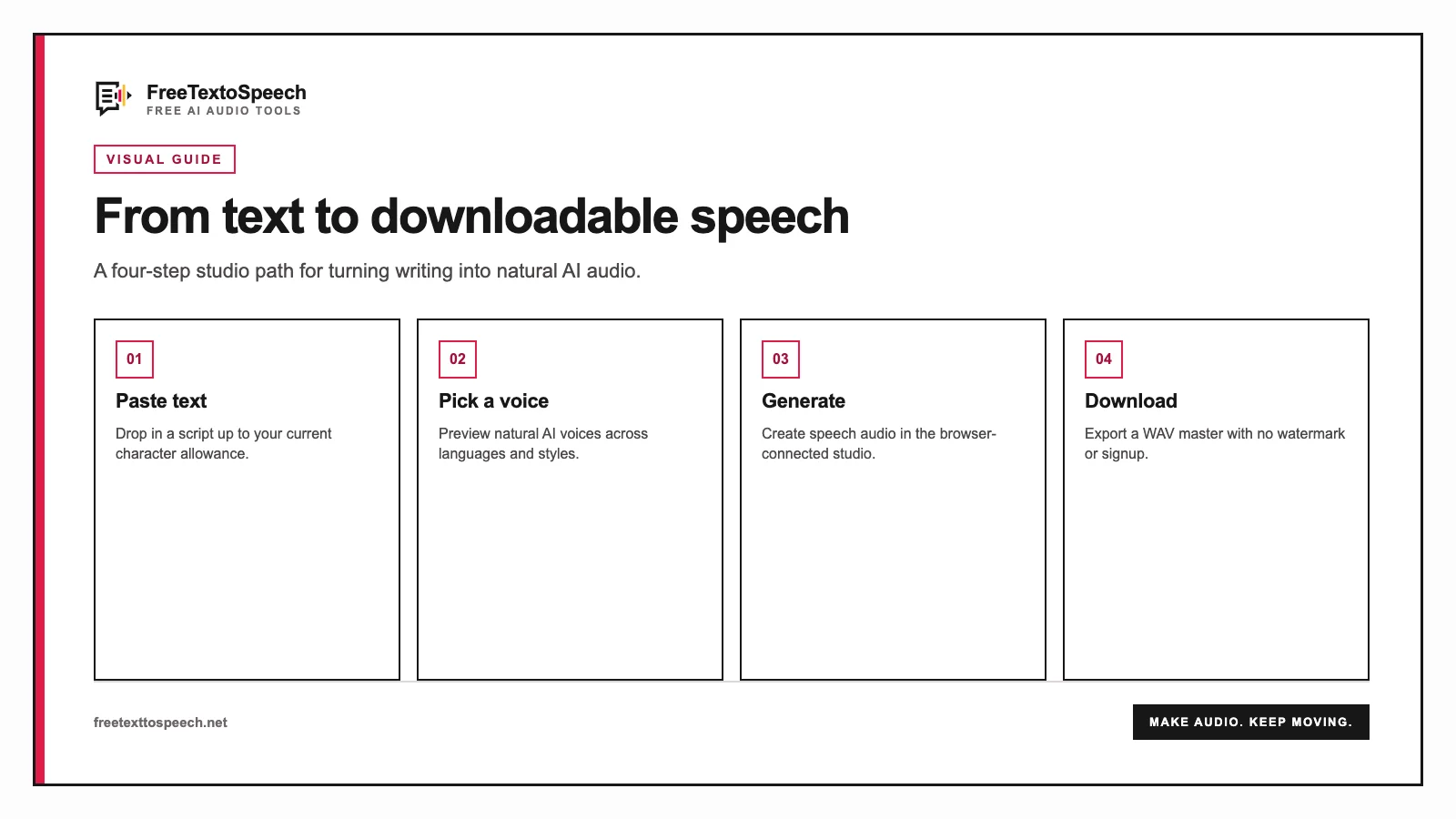
Visual guide
A step-by-step visual guide for free text to speech.
Generate and download speech from text with no account. Paste, pick a voice, and export WAV or MP3.
Start here
Text to speech
Paste a script, choose from 54 voices, and download production-ready audio.
Creators
Write a short script, pick a voice, and download narration for CapCut.
Subtitles
Turn subtitle cues into timed voiceover audio without leaving the browser.
Documents
Upload a PDF, listen with play/pause and highlighting, then download audio if you need a file.
Paste into the large script box on this page. That box is for the words to speak, not the report form.
Choose from 54 natural voices in 9 languages. Preview before you commit.
Press Generate. When the player appears, press play or download the file.
Visual guide
A step-by-step visual guide for free text to speech.
No credit card, no paywalled voices.
Male and female voices across 9 languages, powered by Kokoro.
Use the audio in YouTube videos, podcasts, ads, courses. Yours to keep.
Open the page, paste text, download audio. Done.
Open the page and start generating. There is no account wall, no email capture, and no card field anywhere in the free flow. If you searched for text to speech no sign up because every other tool asked you to register first, this is what that looks like in practice.
| What you check | FreeTextoSpeech | Signup-gated tools |
|---|---|---|
| Account required | None. The converter is live on page load. | Email and password before the first generation. |
| Email or card asked for | Never, at any point in the free flow. | Usually an email at minimum, a card for trials. |
| Characters per generation | Up to 5,000 characters per Generate without an account, 10,000 signed in, 20,000 on a paid plan. On-device takes up to 50,000. | Often a shorter preview cap before you register. |
| Free cloud allowance | 25,000 characters per 30 days without an account, 500,000 after signing in for free. | A short trial, then a paid tier. |
| On-device option | On-device generation has no usage cap and continues after the cloud allowance is used, nothing is uploaded. | Cloud only, your text is sent to their servers. |
| Watermarks or stings | None on generated audio. | Audible branding on some free tiers. |
| Commercial use on the free tier | Allowed, no attribution required. | Frequently restricted to personal use. |
| Download formats | MP3 (192 kbps) by default, or lossless 24 kHz WAV. The studio tools also offer 128 and 320 kbps MP3. | Compressed preview, export behind a plan. |
The same flow covers every phrasing of the request: text to speech without login, free text to speech no sign up, text to speech no account, and free TTS no sign up. Paste your text, pick one of 54 voices across 9 languages, and generate. Nothing is stored against a profile because there is no profile.
Signing in is optional and free. It raises the cloud allowance from 25,000 to 500,000 characters per 30 days, lifts the per-Generate limit from 5,000 to 10,000 characters, and keeps your recent generations together. Everything that works signed out keeps working signed in. Start with Text to MP3 or Text to WAV if you already know which file you need.
Most people arrive here after a tool asked them to register before they could hear a single word. You can hear the result first and decide about an account later, or never.
Everything you need to turn text into natural-sounding speech, free, instant, and built for every workflow.
Write a short TikTok script, pick a voice, and download narration for CapCut. No in-app TTS, no named-voice clones.
Create back-and-forth conversations between multiple AI voices with distinct speakers in one joined audio file.
Convert .SRT subtitle files into natural voiceover audio while keeping your original cue timestamps or natural gaps.
Turn Markdown notes, documentation, and articles into spoken audio with code blocks and frontmatter automatically cleaned.
Upload a PDF, listen with play/pause and highlighted sections, then download audio if you need a file.
Transcribe recordings into editable text and timestamped SRT subtitles with Whisper speech recognition.
Convert MP3 voice recordings into searchable text, meeting notes, transcripts, or captions.
Record your voice in the browser, trim the silence off both ends, and download MP3 or WAV. Works on phones.
Trim the start and end of a recording or cut a section from the middle. Add fades and save MP3 or WAV, no upload.
Speed up or slow down an audio file from 0.5x to 2x without changing the pitch. Runs in your browser.
Describe an episode and AI writes a multi-host script, then each host gets its own natural voice. Download MP3 with stems.
Combine audio clips in order, add clean pauses between tracks, and export one combined WAV or MP3 locally.
Convert WAV audio into a compact MP3 right in your browser. Choose bitrates up to 320 kbps with no upload required.
Convert scripts from words to speaking time. Plan presentations, speeches, and video voiceovers accurately.
Generate easy pronunciation, IPA, ARPABET, and NATO spelling for tricky names and words before voice generation.
Convert written scripts directly into lightweight MP3 audio files with 54 voices and zero sign-up.
Run the open-source Audio8-TTS-Preview-0.6b model on your own device. 11 languages, 44.1 kHz output, nothing uploaded.
Turn the speech in an MP4, MOV or WebM into a timed transcript. The video stays on your device.
Make timed SRT and VTT subtitles from any video in 50+ languages, or burn them into an MP4.
Styled word-by-word captions for TikTok, Reels and Shorts, burned into the video in your browser.
Hardcode an SRT or VTT into an MP4 with your own font, colors and position. No upload.
Open an SRT, VTT or SBV, fix lines and timing, shift every cue at once, and save it again.
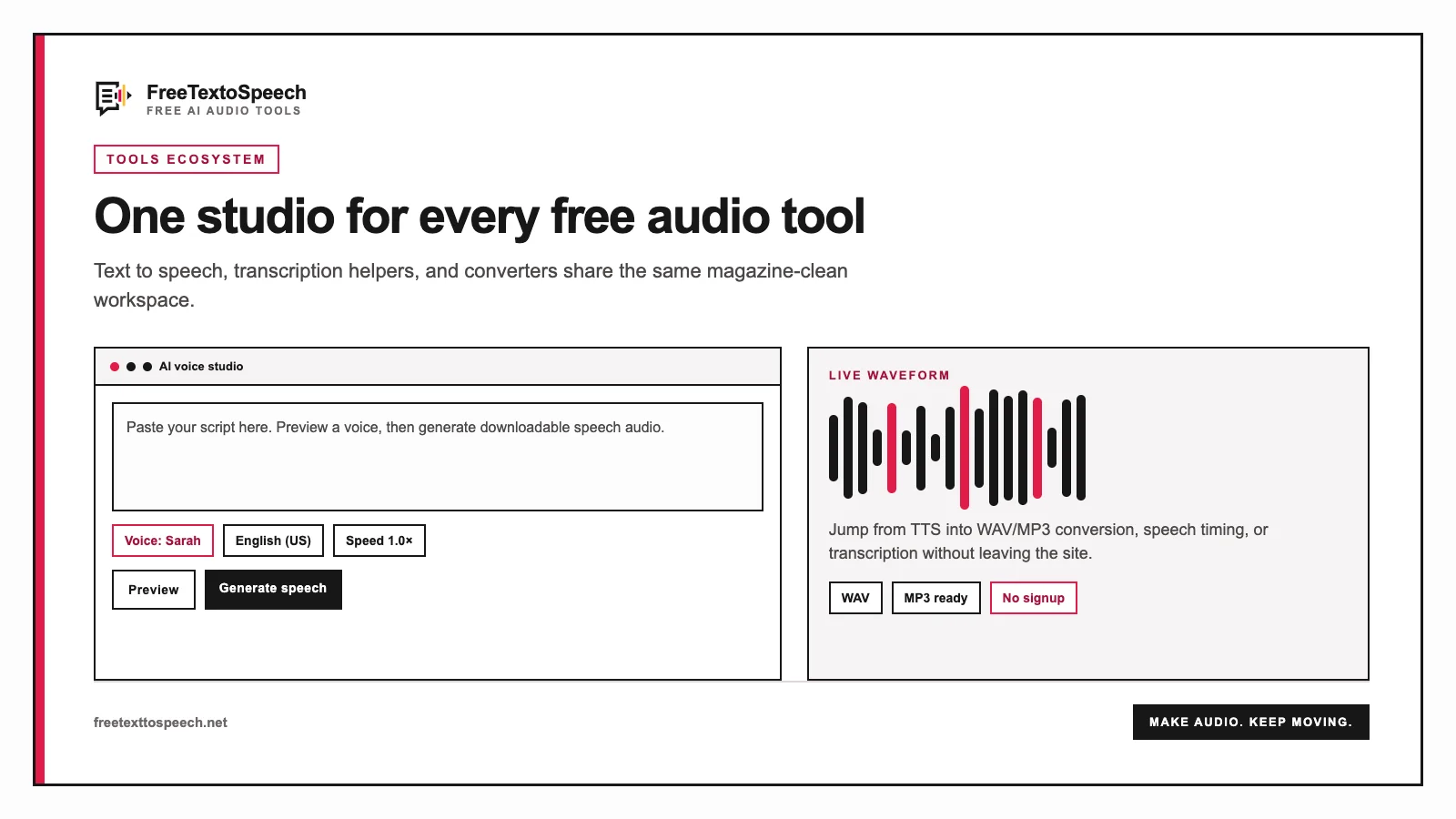
In context
The online studio layout used for free text to speech.
Plan, write, voice, review, and export concise audio description without covering dialogue or essential programme sound.

From the blog


A tiny favor
Allow ads for this site, then check again. Prefer no ads? Paid plans remove ads and add more cloud characters, from $4 a month.
Allow ads for freetexttospeech.net, then check again.
Already on a paid plan?Sign into restore your perks.
Send feedback
Tell us what you think
Bugs, ideas, or anything that would make FreeTextoSpeech better.